ChatGPT business profiles are live in beta: on November 10, 2026, OpenAI launched Businesses in ChatGPT, and eligible businesses can now claim a verified profile through a dashboard called Business Hub.
For brands, this is the first official place to correct what ChatGPT shows about your business and to see how often it sends people to your website. It is not a ranking switch, and OpenAI says so itself.
This guide covers what the profiles are, who can claim one, what the insights actually show, and what to do this week. Every fact below comes from OpenAI’s own pages, checked on November 26, 2026. The feature is in beta, so details will change.
What Are ChatGPT Business Profiles?
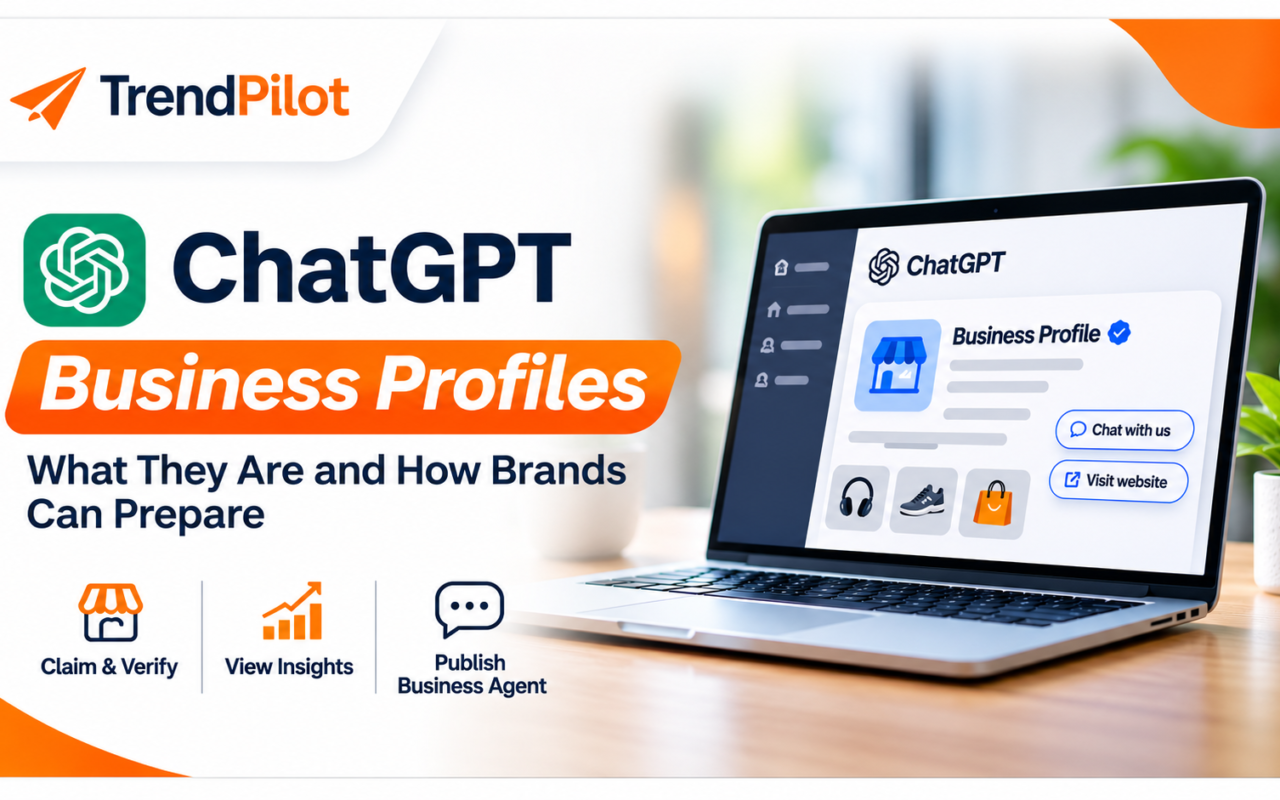
A ChatGPT business profile is a listing for your business inside ChatGPT, managed in Business Hub. Per OpenAI, once a business is verified it can update key details and add product feeds with pricing and availability. Verified profiles show products, business details, and options to start a chat or visit the website.
If you have managed a Google Business Profile, the idea will feel familiar. The difference is scope: these profiles and insights apply to ChatGPT, not to Google or other assistants.
| Area | What OpenAI says |
|---|---|
| Launch | Beta, announced November 10, 2026 |
| Who can claim | Owners or authorized representatives of eligible businesses in places where ChatGPT is available |
| Verification | Phone, business email, website DNS record, or Shopify store, then a separate Persona identity check |
| What you can edit | Website, description, category, logo, delivery policy, return policy, optional cover photo |
| Insights | Past 28 days, aggregate only: mentions, website clicks, discovery topics |
| Business Agents | Optional chat agent for eligible ecommerce and online service businesses |
| Cost | Not stated in the announcement; a help article says you do not need an Ads account or ChatGPT Enterprise agreement to claim |
One detail to check before you plan around agents. OpenAI’s announcement was updated on November 19 to say ecommerce and online service businesses outside the U.S. can now claim and publish agents. The help article still describes agents as U.S.-only, so confirm your own eligibility inside Business Hub.
Local stores and restaurants have a narrower path: they can claim only an existing U.S. listing.
Why This Matters for AI Search Visibility
OpenAI says 1.2 billion people use ChatGPT each week. Until now, brands had no official way to manage or measure how they appear there.
Three things change:
- Accuracy. You can correct your description, category, policies and logo at the source instead of hoping ChatGPT picks up the right version from the web.
- First-party data. For the first time you get mention counts, website clicks and discovery topics straight from OpenAI. If you are new to how AI answers choose brands, start with our guide to generative engine optimization.
- A conversation channel. Eligible businesses can publish a Business Agent that answers product and policy questions in a clearly labeled chat, separate from ChatGPT’s independent answers.
Now the limits, because they matter more than the upside. OpenAI states that claiming a business does not guarantee more visibility or control ChatGPT’s independent recommendations, and that advertising does not influence them either. Connecting a product feed does not guarantee recommendations.
The insights are also thin by design. They are aggregate, cover the past 28 days, and appear only when there are enough conversations to meet privacy thresholds. OpenAI says businesses do not receive individual prompts or conversations, and a blank metric does not necessarily mean zero activity. Treat the numbers as a trend line, not a report card.
One more point for smaller brands: OpenAI’s terms say it may create and display a business listing whether or not you claim it. Your business may already have a listing you do not control.
How to Prepare Your Brand: An 8-Step Checklist
- Check eligibility first. Online businesses with a website are the clearest fit. Local stores and restaurants can claim only an existing U.S. listing. Agents are limited to eligible ecommerce and online service businesses.
- Pick the right owner account. Use a ChatGPT account that your company controls, not a personal one that may leave. Teammates and agencies should be added in Business Hub with their own accounts. Do not forward a claim invitation.
- Choose a verification method. Business phone, business email, a DNS TXT record on your domain, or a connected Shopify store. Your developer can add the TXT record in minutes, but DNS changes can take time to appear.
- Prepare for the identity check. The Persona step can require a government-issued ID, business registration details and proof of authorization. Names, addresses and registration numbers must match your official records, or verification can fail. The blue badge appears only after Persona approval.
- Complete the profile. Fill in your website, description, category, logo, delivery policy and return policy. Write the description in plain, factual language, the way you would want it quoted.
- Make your website match. For online businesses, a mention counts when ChatGPT references your website, so your pricing, policies and about pages should say the same thing as your profile. Our ChatGPT for SEO guide covers the content side. OpenAI has not said that any on-page tactic improves recommendations, so treat this as hygiene, not a hack.
- Connect a product feed if you sell products. Upload a CSV that follows OpenAI’s feed specification or provide a hosted URL. Shopify stores can connect directly.
- Log a weekly baseline. Insights cover only the past 28 days. Record mentions, website clicks and discovery topics every week so you have a trend by January.
Publish an agent only after the profile is stable. Preview it with your ten most common customer questions, fix wrong answers, then publish. Customers can chat only with a published agent, and agents cannot complete purchases, bookings or order checks; they send people to your website for those.
Common Mistakes to Avoid
- Treating the claim as a ranking boost. OpenAI is explicit that it is not, and that ads do not influence ChatGPT’s independent answers.
- Claiming with a personal account. If that person leaves, you lose the cleanest path to the profile. Use a company-controlled account and add teammates properly.
- Mismatched legal details. A different company name, address or registration number from your official records is a known cause of failed verification.
- Publishing an agent without testing it. The agent answers from the information you provide. Wrong policies in, wrong answers out, under your brand name.
- Expecting prompt-level data. You get aggregates only. Do not build a reporting promise for clients on numbers OpenAI says may be blank.
- Assuming you can undo it. Only unpublished draft profiles can be deleted. OpenAI Support cannot delete, unpublish or hide a published profile as part of a setup or ownership request.
FAQs
What are ChatGPT business profiles? They are listings for businesses inside ChatGPT, managed through OpenAI’s Business Hub. Verified businesses can edit their details, add product feeds and view aggregate engagement insights.
Are ChatGPT business profiles free? OpenAI’s announcement does not mention pricing. Its help article says you do not need an Ads account or a ChatGPT Enterprise agreement to claim an eligible business.
Will claiming a profile make ChatGPT recommend my business more often? No. OpenAI states that claiming does not guarantee more visibility or control ChatGPT’s independent recommendations, and advertising does not influence them.
Can businesses outside the U.S. claim a profile? Eligible businesses in locations where ChatGPT is available can claim. On November 19, 2026, OpenAI extended claiming and agent publishing to ecommerce and online service businesses outside the U.S. Local stores and restaurants can claim only existing U.S. listings.
What do the insights show? Aggregate mentions, website clicks and discovery topics for the past 28 days. You do not see individual prompts or conversations.
Do I need a Business Agent? No. Publishing an agent is optional and separate from claiming. It is available only to eligible ecommerce and online service businesses.
Conclusion
Claim your ChatGPT business profile if you are eligible, but for the right reason: accuracy and first-party data, not a promised ranking lift. The practical order is simple. Verify with a company account, complete the profile, align your website, log a weekly baseline, and test an agent before publishing.
For the wider picture, read our guides on generative engine optimization, using ChatGPT for SEO and the latest AI statistics for 2026. OpenAI says it plans to expand to more markets and business categories, so check back as the beta changes.